设备库 Device library
丰富设备机型 Rich device library
iPhone 8 到 iPhone 17、iPad、Mac、Apple Watch,多种配色与手持样机。 iPhone 8 through iPhone 17, iPad, Mac, Apple Watch—colors and handheld mockups.
为普通用户和开发者打造:一键把截图放进精美设备框,自定义背景,批量导出高清图。输出尺寸符合 App Connect 规范,直接用于 App Store。 For everyone and developers: wrap screenshots in device frames, customize backgrounds, and batch-export HD images. Output sizes meet App Connect specs—ready for the App Store.
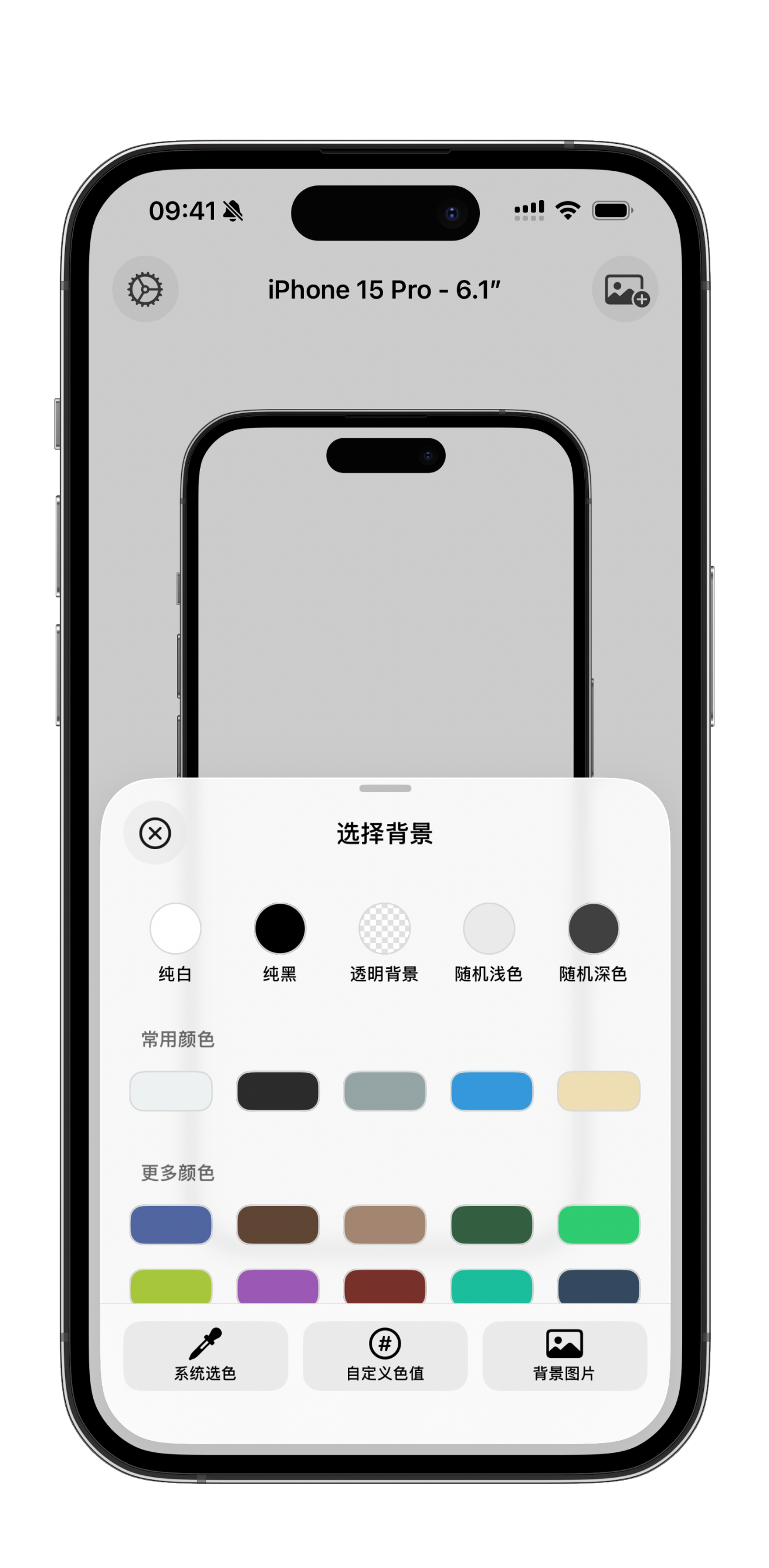
选机型、换背景、批量导出与 App Store 规范,一目了然。 Device picker, backgrounds, batch export, and App Store specs—all in one place.
设备库 Device library
iPhone 8 到 iPhone 17、iPad、Mac、Apple Watch,多种配色与手持样机。 iPhone 8 through iPhone 17, iPad, Mac, Apple Watch—colors and handheld mockups.
背景 Backgrounds
纯色、渐变色盘、自定义色值、背景图片,还支持透明背景导出。 Solids, palettes, custom hex, images, and transparent export.
一次多张 Many at once
套壳成品一次性输出,不必一张张重复操作。 Export framed shots in one go—no repetitive one-by-one workflow.
开发者友好 For developers
标准比例与像素尺寸,上传 App Connect 更安心。 Standard ratios and pixel sizes—ready for App Connect.
App Connect 直传 App Connect ready
从社交分享到 App Store 上架,每一步都更省心。 From social posts to App Store listings—every step is easier.
设备 Devices
全系列机型与配色持续更新,含手持样机。 Latest models, colors, and handheld mockups.
背景 Backgrounds
色盘、自定义色值、图片与纯白纯黑一键切换。 Palettes, custom hex, images, pure white/black.
效率 Efficiency
一次最多 9 张,适合多屏 App Store 截图集。 Up to 9 at once—ideal for App Store sets.
开发者 Developers
尺寸符合 App Connect 屏幕快照规范,可直接上传。 Sizes match App Connect screenshot specs.
App Connect 直传 App Connect ready
工作流 Workflow
iPad 从相册拖入;macOS 直接拖图片进 App。 Drag from Photos on iPad; drop into the Mac app.
画质 Quality
高质量导出不模糊;macOS 可选任意自定义尺寸。 No blur on export; macOS supports any custom size.
原图不压缩 No quality loss
截图套壳一次购买即可在 iPhone、iPad 和 Mac 上使用。 Screenshot Frames—one purchase for iPhone, iPad, and Mac.
适合需要精美套壳图的普通用户,以及要快速产出 App Store 营销图的开发者。 For anyone who wants polished frames—and developers who need App Store assets fast.
前往 App Store Go to the App Store